Have you ever considered enhancing your storytimes with digital elements? Or do you love the idea of a “musical storytime,” but don’t play an instrument? Adding digital noises and short music clips to your storytelling is a great option, and October is the perfect time of year to experiment with this idea, by adding spooky sounds to your storytime. At the Fayetteville Free Library (FFL) we’ve had a lot of fun and success with offering these special, enhanced storytime experiences.
What do you mean by a “soundscape storytime?”
A soundscape is defined as “the sounds heard in a particular location, considered as a whole.” By using this term in reference to storytimes, we mean to evoke the idea of underscoring a book (or part of a book) and bringing the narrative to life through musical clips and sounds that summon certain feelings, moods, themes, or characters. This different from, but related to more traditional storytimes in which librarians, teachers, and storytellers expertly select songs and rhymes relevant to a central theme. We still use songs and rhymes in soundscape storytimes, but the difference is in how listeners experience the book. This can be done with any title and any theme—for example, we did a special version of Super Red Riding Hood by Claudia Davila over the summer. However, since Halloween is right around the corner, we choose a seasonally appropriate book as our primary example.
The Sleepless Little Vampire by Richard Egielski is an ideal choice for a sound enhanced storytime, because the sounds are provided as cues right in the text of the book. In the story, a young vampire is unable to sleep, seemingly because of all the noises going on around him: spiders spitting, bats flitting, witches cackling, werewolves howling, skeletons rattling, and more. Egielski provides engaging text that encourages the reader to imagine and vocalize these unusual sounds, but what if, instead of reading the words “FLAPPITY!—FLAP!”, you could play a clip like this one? Books that feature sounds in the text like The Sleepless Little Vampire, or say a farm book with animal noises, make for a great place to start out; the noises are specified, and all you have to do is find a clip that fits!
In a book with no obvious sound cues, you might need to get a little creative and make your own. For example, in Super Red Riding Hood, every time the main character, Red Riding Hood’s name was spoken, we played a trumpety fanfare theme to introduce her. And when the big bad wolf appeared, we had a howl announce him. The story reaches its climax in a dramatic chase scene, so we played action film style fast paced chase music to underscore and enhance the mood as we read the accompanying text. Part of the beauty of this storytelling strategy is that you can customize a book to your specific audience through the types of sounds you choose. For example, we could do The Sleepless Little Vampire with a preschool audience (for which it was intended), or pick much scarier sounds to make it more relevant to second or third graders. Digital sounds can also make a book more interactive if you encourage your audience to guess what the sound is before you read the text, and I’ve noticed that adding music to the experience often engages younger children, so they can sit and pay attention through longer books.
Where do I find the sounds?
Hopefully you’re now feeling excited and have some ideas for how digital sounds might enhance your programs, but where do you find the clips? There are a number of free open source sound libraries where you can easily download short clips to your computer, iPod, or phone. Some great resources include: freesound.org, soundbible.com, and flashkit.com. Freesound.org is a great place to start, as it has a searchable library with thousands of sounds. The site does require a login to download content, but creating an account is free. Flashkit has a much smaller library, but is categorized into areas like “ambiance” or “cartoons” which makes for easier browsing if you don’t know exactly what you’re looking for. To download, simply click the “download” button, or right click on the link that says “download.mp3” and select “save link as…” The link will be saved to your downloads folder and can be opened using iTunes or Windows Media Player. All of the sounds are free for non-commercial use under creative commons licenses, and you can check the individual sounds you select for additional licensing information specific to that clip. If you’re feeling particularly ambitious, you could also consider recording and editing your own sounds using a free, open source recording and editing platform called Audacity.
When planning a soundscape storytime, I usually identify which parts of the book I want to underscore, find and download clips I like, create a playlist, and arrange the sounds in the order in which they appear in the story. Then as I read the story, I can click and play the sounds for dramatic effect. There are so many ways to use this and so many sounds to try!
Have you tried adding sounds to your stoytimes? How do you do it and what resources do you use? I’d love to hear about your sound enhanced storytimes in the comments, below.
**************************************************************
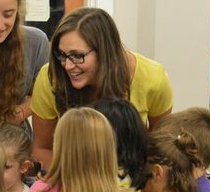
Today’s guest blogger is Stephanie C. Prato. Stephanie is the Director of Play to Learn Services at the Fayetteville Free Library (FFL), NY. With experience in youth services, community outreach, leadership, instruction, and technology, she has developed innovative programs for babies, toddlers, preschoolers, and school-aged children. She is an active member of the American Library Association and serves as a member of the Early Childhood Programs and Services Committee of ALSC. If you have any questions, email her at sprato@fflib.org.
Please note that as a guest post, the views expressed here do not represent the official position of ALA or ALSC.
If you’d like to write a guest post for the ALSC Blog, please contact Mary Voors, ALSC Blog manager, at alscblog@gmail.com.
Awnali Mills
We did much the same thing at storytime here, using bird sounds to enhance the book “Have You Heard the Nesting Bird.” http://littleelit.com/2015/03/31/an-ipad-enhanced-storytime-by-awnali-mills-and-rachel-sharpe/
Stephanie Prato
Hi Awnali, This is awesome! What a great idea/learning opportunity! Thank you for sharing.
Lisa
Fun! I’ve used sounds in other ways, but not quite like this. I’ll try it! I have used these great frog sounds from the Wisconsin Water Library: [http://aqua.wisc.edu/waterlibrary/Default.aspx?tabid=315] I’ve also used owl and turkey sounds before, too.
I did a different type of sound storytime featuring Pete the Cat: I Love my White Shoes. The publisher offers a free audio version that includes children yelling out the answers to the questions. I made a feltboard of the story, creating interchangeable colored shoes and obstacles. I put the audio version on a small mp3 player and connected it to speakers. As the story played, I manipulated the felt pieces. Whenever a question was asked in the story, I pressed pause and let the kids shout out the answer. Then when I pressed play, they’d hear the kids in the story shouting out the same thing! It was a lot of fun.
Stephanie Prato
Hi Lisa, What a great idea! I love new ideas for really interactive storytimes. Thank you for sharing.
Laura Jenkins
Love this! Can’t wait to try it. The closest I’ve come is the collection of New York City traffic sounds (fire engines, trucks backing up, etc. ) I got on iTunes that I use for those things-that-go toddler story times.
Pat Oey
Hi Stephanie!
I love this idea, and I’ve actually just downloaded some sounds to use in a farmyard storytime. Thank you, thank you, for helping us keep storytime fresh!!
Pat
Pingback: The Coolest Things I Saw on the Internet This Week | Storytime Underground