The Summer Reading program this season has had a special place in the children’s department’s heart as we unanimously chose to go with a Lights! Camera! Action theme. We are a group of cineastes and Broadway enthusiasts, and were hoping to share our love of the big screen and stage to inspire some upcoming filmmakers, set designers, and makeup artists.
Looking back on our programming this summer, technology had a huge presence in providing kids with an opportunity to explore various ways of storytelling and performance. Perhaps you can also add to your programming repertoire!
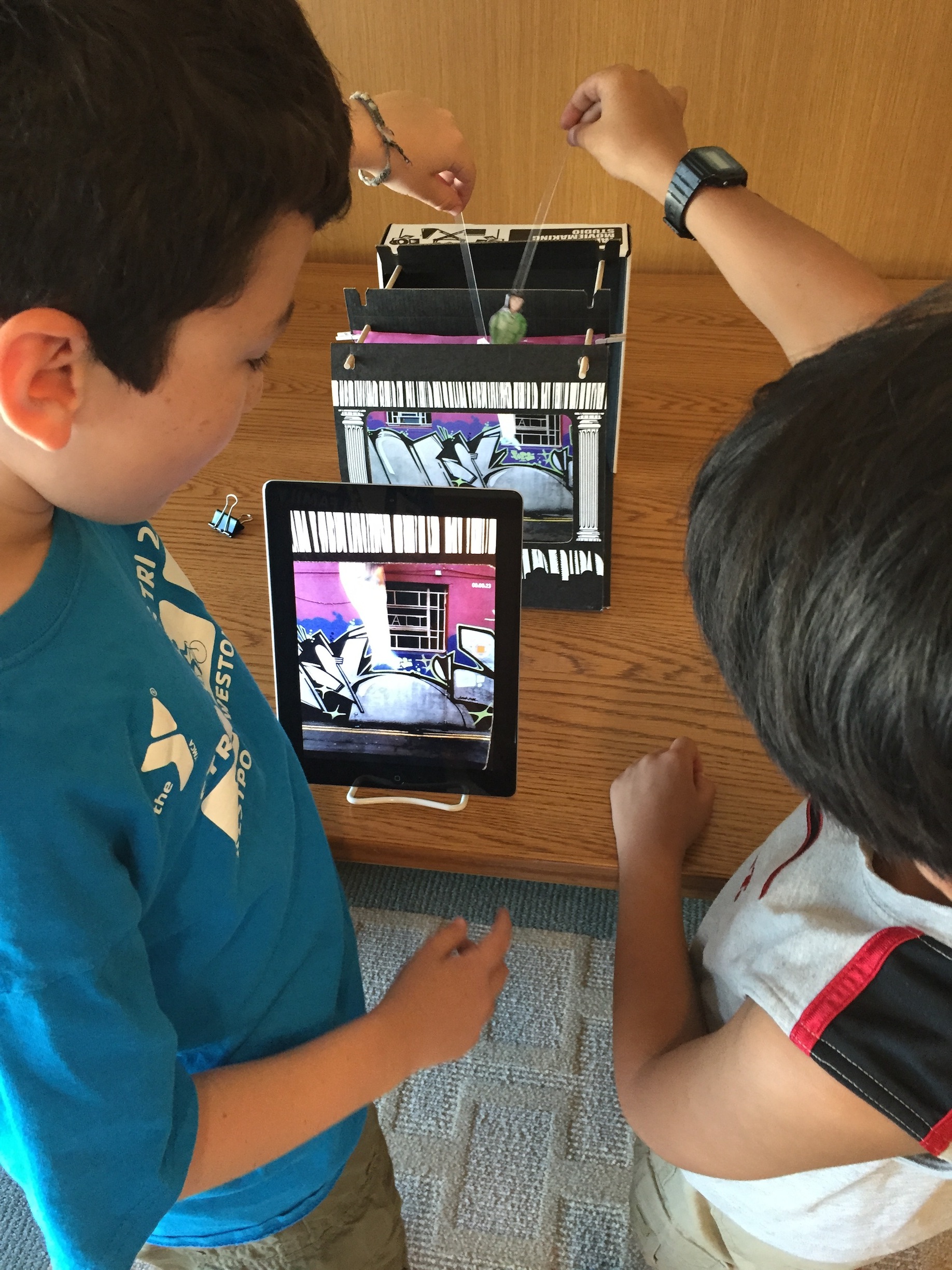
Using the TableTop Moviemaking set, mini-movie makers built their own set to develop a scene or entire film depending on the length of the class. The studio is easy to assemble and we asked each group to develop their own scenes with the included characters and props. LED lights can also be used to adjust lighting for mood and effect. Once everyone was ready to film we took iPads and book easels to set the stage for filming. Book easels are always a thrifty way to encourage a steady camera. The kit comes with iPad and iPhone holders depending on the desired device.
For filming one can use either the iMovie app, or the Camera app on the iPad for quick recording and easy editing. There’s also the option to make a stop-motion project, which would call for using the iMotion app, most favored among our librarians. This class was part of Tween Make Week which is a collaboration with the teen librarian and the participants ranged in age from 10 to 14.
Young animators can learn the basics of the art form through the Easy Studio app. This app is a versatile tool which can be used as an intro to animation, and I have seen both early elementary students and tweens engaged in using Easy Studio. Using basic shapes and colors, there are several exercises that kids can complete for them to learn how to animate using the shapes provided. This app can also be used as a precursor to any stop-motion activity because it has the creators capturing each object movement and ultimately pulling them together for the final animation.
Another clever animation app, ABCya! Animate, can also be used for a wide audience in the library. A simple taste of animation, users are able to add their illustrations frame by frame and adjust their projects with editing tools. They will also learn new vocabulary such as design to scale, foreground, and background.
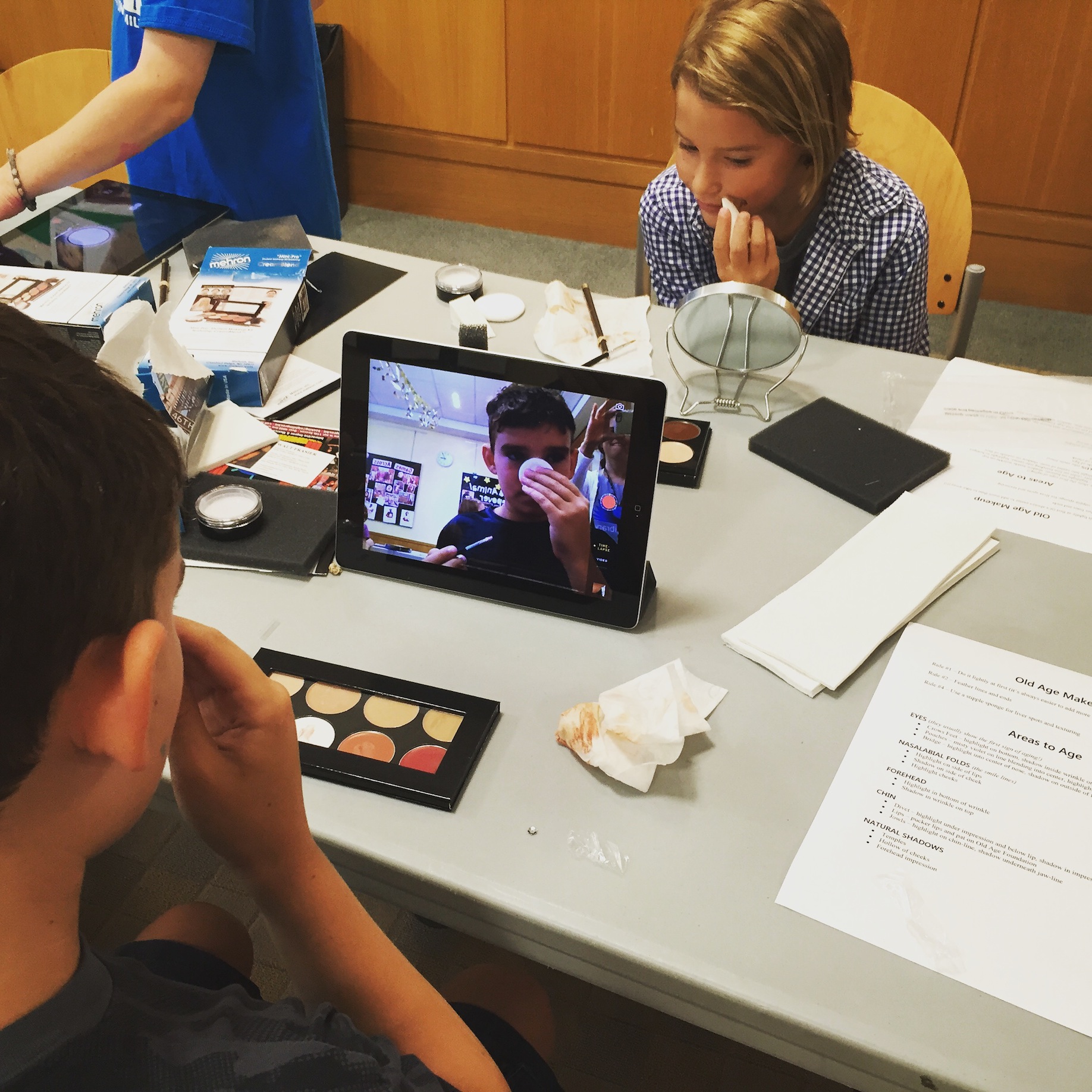
There are several movie makeup camps and classes for stage F/X, but who ever thought all the tutorials you need could be found online. One of our librarians, Krishna Grady, has always wanted to teach a stage makeup class in the library. Using her theatre background and love for tech, Krishna grabbed some foundation, brushes, and the iPads to give kids their own personal makeup studios. Using a Mirror app, and pulling up some YouTube application videos, the kids were able to transform themselves into senior citizens and loved every minute of it! End scene.
Any new tech programming that you wish to share from Summer Reading?
Claire Moore is a member of the Digital Content Task Force. She is also Head of Children and Teen Services at Darien Library in Connecticut. You can reach Claire at cmoore@darienlibrary.org.
Visit the Digital Media Resources page to find out more about navigating your way through the evolving digital landscape.
Kim
What great ideas!
I was wondering how many participants you limited each class to?
Kim
Claire Moore
Hello Kim,
For the Moviemakers class we had about 10 kids total. For the stage makeup program we had about 16 kids, but in many cases the kids are sharing the technology and working in groups.
Best,
Claire
Kim
Thanks!